Begin with available energy
The right-sized choice is the one that fits now, including stillness, silence, stopping, or choosing nothing further.
OFFLINE AND ON DEVICE
An offline low-effort activity selector for choosing quiet making, gentle sound, shared space, and soft transitions at a personal pace.
THE PRODUCT
Lanternfield is an offline field of low-effort activity choices organized around available energy, sensory comfort, optional company, and an easy stopping point. It offers quiet making, gentle sound, shared stillness, small encounters with the outside, sensory adjustments, short visitor windows, and soft ways to close.
The app avoids diaries, symptom scales, streak pressure, prescribed durations, and automatic timers. A user chooses a broad bandwidth, opens one image-led activity, advances a glow step manually, and may save a favorite cue. Nothing asks the user to explain why an activity is needed or to translate comfort into a health record.
DESIGN PRINCIPLES
Each choice is intentionally small, concrete, and complete enough to use without handing personal information to the software.
The right-sized choice is the one that fits now, including stillness, silence, stopping, or choosing nothing further.
Short windows, small setups, and unfinished work that may remain unfinished protect the activity from becoming another obligation.
Light, sound, texture, temperature, space, scent, and company are framed as adjustable options rather than universal comforts.
The glow step moves only when the user advances it. There is no countdown, alert, streak, failure state, or demand to complete.
ONE COMPLETE SESSION
Five recognizable places give the session a beginning, a focused middle, and a deliberate close. Progress can stop after any useful step.
See a calm overview, adjust text or motion, and enter without creating a profile or reporting a mood.
Select a broad low-demand starting level that changes suggestions locally without becoming a symptom score.
Use a dedicated image and compact setup, comfort, and stopping cues for a single activity.
Advance the glow manually when useful; pause, leave, or stop without an alarm or completion penalty.
Favorite an activity for later, notice what felt easy, or erase all saved local choices from the utility panel.
BUNDLED PATH
The library moves from first orientation to a clean ending. Every card is available immediately after installation.
Notice available energy, choose stillness or movement, reduce setup, lower sensory load, and keep an easy exit.
From “Notice available energy” to “Set a short window”.Use paper, color, smooth objects, tiny scenes, or simple patterns with a stopping point before fatigue.
From “Fold one paper shape” to “Stop before fatigue”.Listen to one layer, choose silence, try a slow rhythm, lower volume early, and let the activity end quietly.
From “Listen for one layer” to “End in quiet”.Share space without requiring conversation, synchronized participation, explanation, or a ceremonial departure.
From “Sit side by side” to “Leave without ceremony”.Notice light, a plant form, a cloud edge, shade, a doorway, or an outdoor view without demanding an outing.
From “Watch moving light” to “Bring the view indoors”.Adjust one texture, light level, visual field, scent choice, temperature, or irritating detail at a time.
From “Choose one texture” to “Remove one irritating detail”.Offer two simple activities, agree on a short window, follow the host’s pace, and make rest and exit visible.
From “Offer two activity choices” to “Close gently”.Put away slowly, save one useful cue, leave unfinished work alone, and return to a familiar calm anchor.
From “Put materials away slowly” to “Return to a calm anchor”.VISUAL FIELD GUIDE
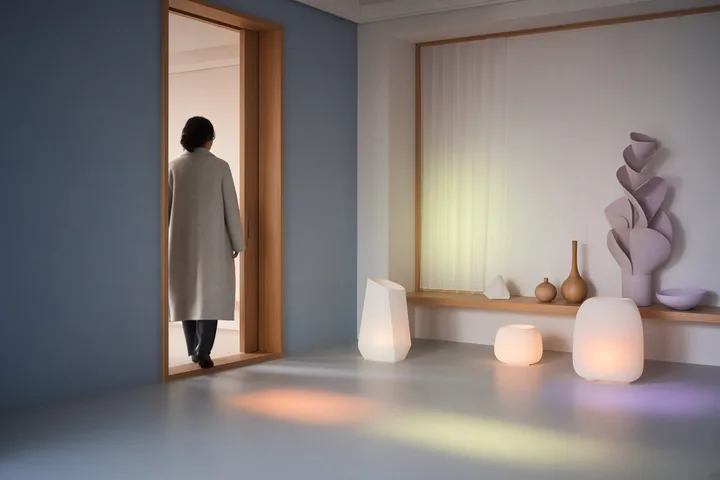
These 8 module images introduce the different parts of the system; every content card then carries its own purpose-built portrait image inside the app.







INSIDE A CARD
Cards keep reading short while preserving the reasoning around a choice. Their content is bundled, repeatable, and available without a feed or remote update.
A card keeps materials and preparation small so choosing the activity does not create a larger task.
Optional cues invite changes to sound, light, texture, company, location, or duration without treating preference as data.
Every practice includes a way to pause, leave unfinished, put away, or return to a simple anchor.
LOCAL DATA AND CONTROL
Lanternfield retains the selected bandwidth, favorite activity-card identifiers, manual glow-step position, text size, and Reduce Motion preference. It does not store mood entries, symptoms, diagnoses, medication information, journals, audio, photographs, contacts, or precise location.
No account, server profile, cloud workspace, analytics stream, or publisher-visible activity history.
No Internet, camera, microphone, contact, location, notification, storage, calendar, or advertising permission.
A confirmed in-app action clears supported progress and preferences. Android clear-storage and uninstall controls work too.
COMMON QUESTIONS
These answers describe the behavior of the installed version 1.0.0 release.
No. It does not score mood, monitor symptoms, count streaks, prescribe routines, or build a health profile. It is a private offline selector for low-effort activity prompts.
No. The user advances it manually. There is no background timer, notification, alarm, failure state, or expectation that every step be completed.
Yes. Cards repeatedly preserve silence, stillness, short duration, easy exit, and unfinished work. Leaving an activity is not treated as a failed session.
Some cards support optional parallel or shared quiet, but the software does not create groups, invite contacts, send messages, or coordinate visits.
It saves only favorite card identifiers and the limited local preferences described in the privacy policy—not notes about the reason, person, or context.
Use Erase local data in the utility panel, clear the app’s storage in Android settings, or uninstall the app.
PRIVACY IN FULL
The full policy explains scope, local storage, permissions, network behavior, third parties, retention, erasure, backup, security, children and families, professional limits, changes, and publisher information in 18 detailed sections.